
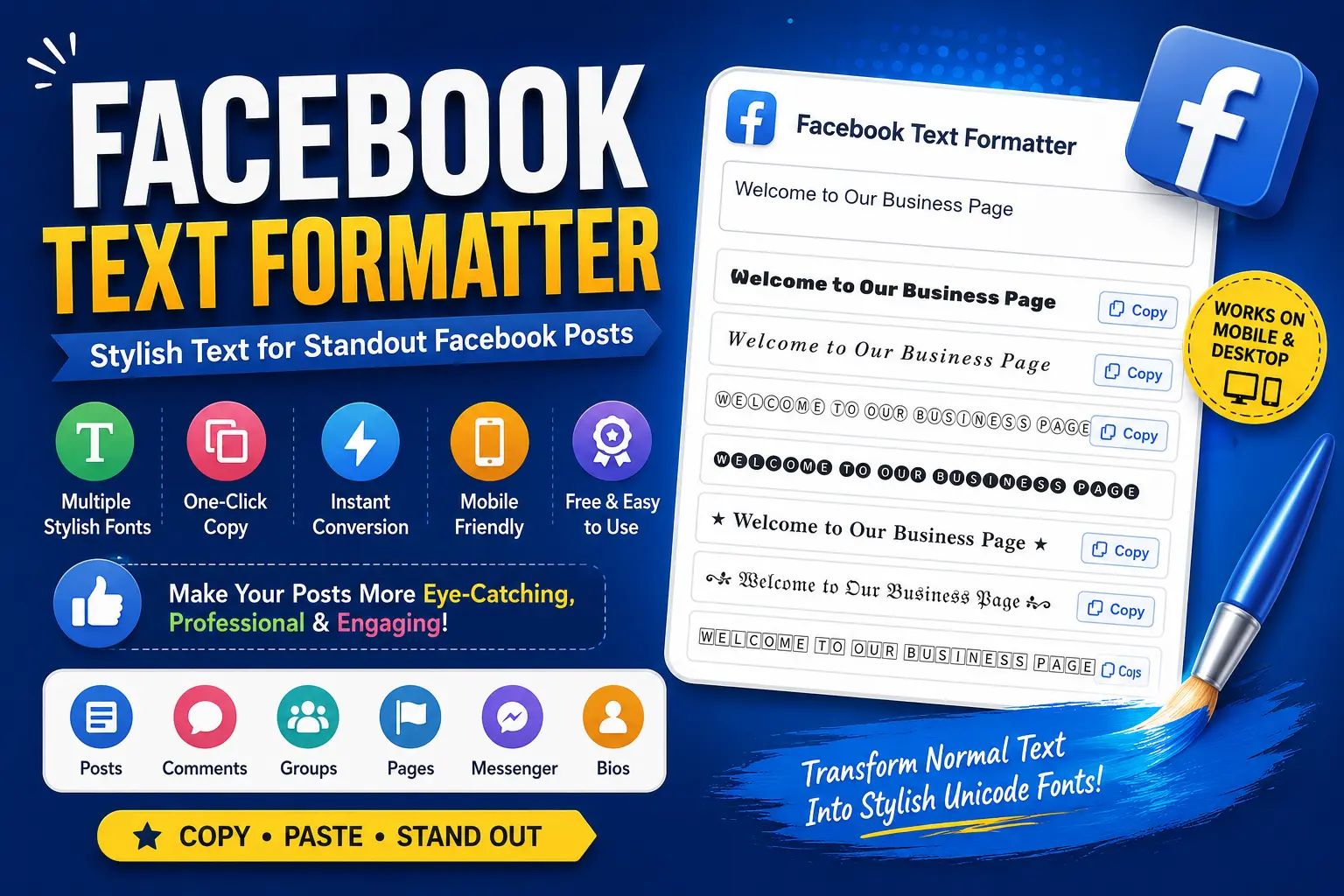
Facebook Text Formatter
Create stylish Facebook posts, comments, bios, and captions that capture attention, no design skills required.
Facebook remains one of the world’s most influential social media platforms, with billions of users sharing updates, promoting businesses, and building communities every day. Because users scroll through hundreds of posts daily, grabbing their attention has become more challenging than ever.
One simple way to make your content stand out is by using stylish text. Bold letters, italic fonts, decorative Unicode characters, and unique text styles can make your posts more eye-catching without requiring any graphic design skills. If you’re looking for a free and easy way to create stylish Facebook text, try the Facebook Text Formatter. It instantly converts normal text into attractive Unicode styles that can be copied and pasted directly into Facebook posts, comments, captions, bios, and Messenger.
What Is a Facebook Text Formatter?
A Facebook Text Formatter is an online tool that transforms ordinary text into stylish Unicode characters. These characters look like different fonts, although they are actually special Unicode symbols supported by most modern devices and browsers.
Unlike installing custom fonts, Unicode text works by converting standard letters into alternative character sets that Facebook displays correctly.
This simple change can make your content much more noticeable in users’ news feeds.
Why Use Stylish Facebook Text?
Millions of posts compete for attention every day. Formatting your text helps your content stand out while improving readability. Benefits include:
- Highlight important information
- Increase engagement
- Improve post appearance
- Make promotional content more attractive
- Create memorable Facebook bios
- Decorate comments and captions
- Add personality to your posts
Although formatting alone won’t guarantee viral content, it can significantly improve the visual appeal of your posts.
Who Can Benefit from a Facebook Text Formatter?
Content Creators
Create unique captions that attract more readers.
Digital Marketers
Highlight promotions, offers, and call-to-action messages.
Small Business Owners
Make product announcements look more professional.
Influencers
Design eye-catching bios and captions that strengthen your personal brand.
Students
Decorate educational posts and project announcements.
Community Managers
Publish organized updates that are easier for members to read.
Features of the Facebook Text Formatter
The Facebook Text Formatter offers several helpful features:
- Free to use
- No registration required
- Instant text conversion
- Multiple stylish font options
- One-click copy function
- Mobile-friendly interface
- Works on desktop, tablet, and smartphones
- Supports Facebook posts, comments, groups, pages, and Messenger
Because everything runs directly in your browser, there’s nothing to install.
How to Use the Tool
Using the formatter only takes a few seconds:
Open the Facebook Text Formatter
Type or paste your text
Browse the generated styles
Copy your favorite version
Paste it into Facebook

The conversion happens instantly, making it ideal for both personal and professional use.
Best Ways to Use Stylish Facebook Text
Business Promotions
Draw attention to sales and special offers, like “🔥 50% OFF This Weekend Only! 🔥”
Event Announcements
Highlight important dates and locations.
Product Launches
Create excitement with bold headlines.
Facebook Bios
Make your profile more memorable.
Group Posts
Organize information with decorative headings.
Personal Updates
Add creativity to birthdays, celebrations, and milestones.
Is It Safe, and Does Facebook Support Unicode Text?
Yes. A Facebook Text Formatter doesn’t modify your Facebook account or require login credentials. It simply converts your text into Unicode characters that Facebook already supports. Since no personal information is required, it’s generally safe to use.
Yes. Facebook supports most Unicode characters across posts, comments, Messenger, profile bios, Facebook Pages, and Facebook Groups. However, some decorative styles may appear slightly different depending on the operating system or device.
Tips for Better Facebook Formatting
To keep your content professional:
- Don’t overuse decorative fonts
- Reserve bold styles for important information
- Combine stylish text with high-quality images
- Keep your message concise
- Maintain readability
- Use formatting to emphasize key points rather than every word
A balanced approach makes your posts more engaging without overwhelming readers.
Ready to make your next post stand out?
✨ Try the Facebook Text FormatterFinal Thoughts
Creating engaging Facebook content isn’t just about writing great copy, it also involves presenting it in a visually appealing way. Stylish text can help your posts stand out, attract more attention, and encourage users to engage with your content.
Whether you’re a marketer, business owner, influencer, student, or casual Facebook user, the Facebook Text Formatter provides a fast, free, and simple way to transform ordinary text into eye-catching styles that make your posts more memorable.