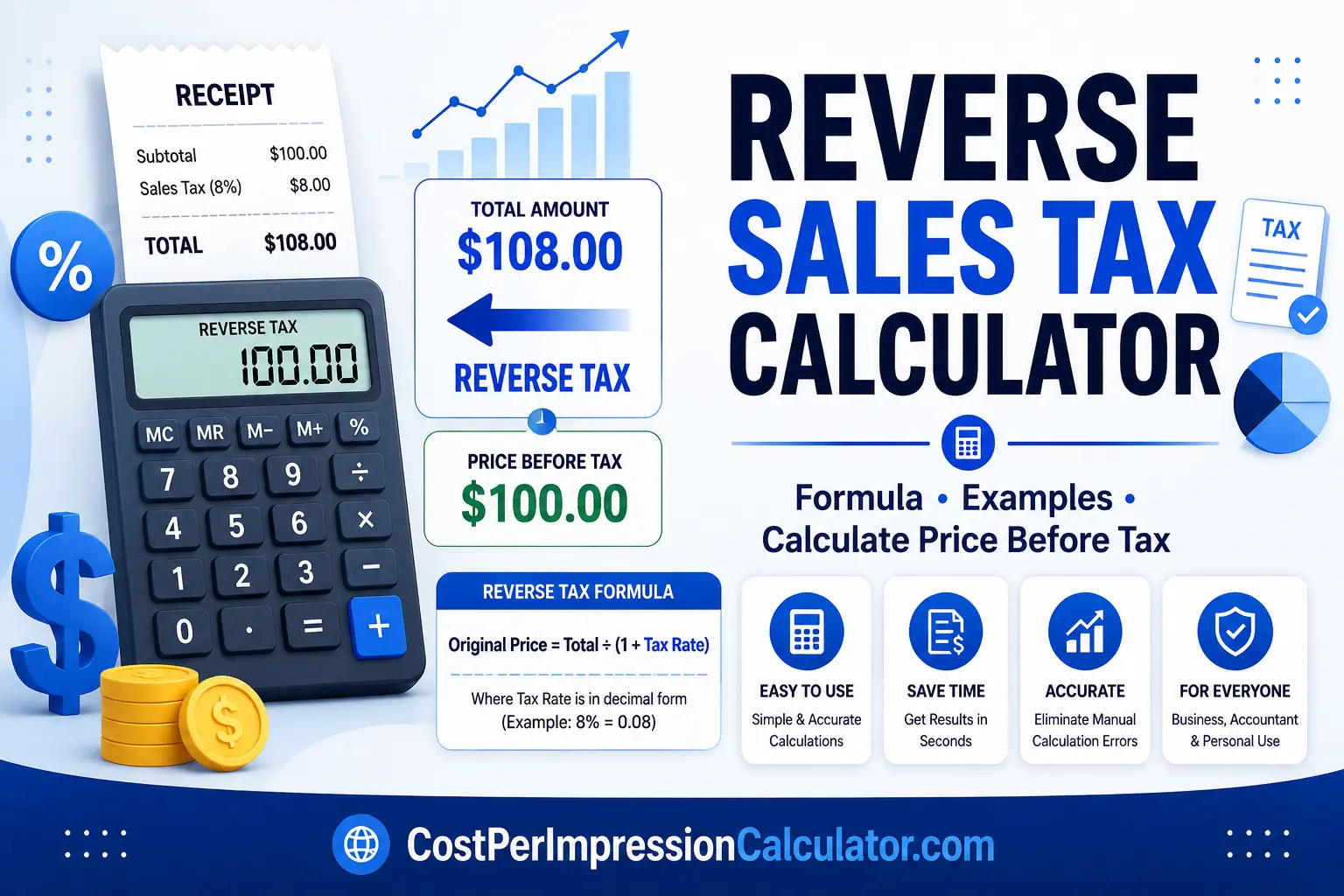
Reverse Sales Tax Calculator: The Complete Guide
Work backward from a total amount to find the original price and the exact tax paid — with the formula, worked examples, and step-by-step instructions for invoices, receipts, and payroll.
If you’ve ever looked at a receipt showing only the total amount including tax and wondered what the original price was before tax, a Reverse Sales Tax Calculator is exactly what you need. Instead of calculating tax on a product price, it works backward by removing the tax from the final amount.
Whether you’re a business owner, accountant, freelancer, online seller, or shopper, understanding how to reverse-calculate tax can help you verify invoices, prepare financial reports, calculate refunds, and determine pre-tax prices accurately.
What Is a Reverse Sales Tax Calculator?
A Reverse Sales Tax Calculator is an online tool that determines the original price of a product or service before sales tax was added. Instead of adding tax to a subtotal, it removes the tax from the total amount paid.
This Is Useful When…
- You only know the total bill
- You need the original product price
- You want to know how much tax was included
Also Useful For…
- Auditing invoices
- Preparing accounting reports
- Financial reconciliation and bookkeeping
Unlike standard tax calculators, the reverse version works backwards — making it ideal for accounting and bookkeeping rather than pre-purchase pricing.
Why Use a Reverse Sales Tax Calculator?
Businesses and individuals frequently receive invoices that include tax but don’t clearly show the original price. Manually removing tax can be time-consuming and prone to errors. A reverse sales tax calculator helps you:
- Find the price before tax
- Calculate the tax amount separately
- Verify invoices
- Prepare accounting records
- Process customer refunds
- Audit business expenses
- Calculate taxable income accurately
How Does Reverse Sales Tax Work?
Reverse sales tax simply removes the tax percentage from the total price instead of adding it.
| Total Amount | $108 |
| Sales Tax Rate | 8% |
This process is much easier using an automated calculator than performing calculations manually.
Reverse Tax Formula
If the tax rate is expressed as a percentage, convert it into decimal form first — for example, a 10% tax rate becomes 0.10, so you’d divide the total by 1.10.
Reverse Sales Tax Calculator Formula
Once you know the original price, you can calculate the tax amount:
Reverse Calculate Tax from Total
Many people search for ways to reverse-calculate tax from a total because receipts often show only the final payment. This method works for products, services, subscriptions, invoices, and online purchases.
| Total Paid | $540 |
| Tax Rate | 8% |
How to Calculate Amount Before Tax
Businesses often need this when reviewing supplier invoices or processing reimbursements. Follow these five steps:
- 1
Identify the Total Amount
Note the total amount including tax.
- 2
Determine the Tax Rate
Find the applicable sales tax rate for the purchase.
- 3
Convert to Decimal
Turn the percentage into decimal form — e.g. 7% becomes 0.07.
- 4
Divide by 1 + Tax Rate
Divide the total amount by 1 plus the tax rate to isolate the original price.
- 5
Subtract to Find the Tax
Subtract the original amount from the total to determine the tax paid.
| Total Amount | $214 |
| Sales Tax Rate | 7% |
| Invoice Total | $1,620 |
| Sales Tax Rate | 8% |
Reverse Tax Calculator: Salary
A reverse tax calculation can also help employees estimate their gross salary from their net pay after taxes and deductions.
| Net Salary | $4,000 |
| Estimated Tax Rate | 20% |
While payroll calculations often include additional deductions such as retirement contributions or insurance, this reverse calculation method provides a useful estimate of pre-tax earnings.
What Is a “Reverse Calculator”?
A reverse calculator is a general-purpose tool that works backward from a known result to determine the original value. Reverse tax calculators are one example, but the same logic applies to discounts, percentages, commissions, profit margins, and other financial analysis.
Reverse Sales Tax vs. Standard Sales Tax
| Standard Sales Tax | Reverse Sales Tax |
|---|---|
| Starts with original price | Starts with total amount |
| Adds tax | Removes tax |
| Calculates final total | Calculates original price |
| Used before purchase | Used after purchase |
| Useful for pricing | Useful for accounting |
Benefits of Using a Reverse Sales Tax Calculator
Speed & Accuracy
- Saves time
- Eliminates manual calculation errors
- Provides accurate results instantly
Flexibility
- Supports multiple tax rates
- Useful for businesses and individuals
Verification
- Helps verify receipts and invoices
- Simplifies accounting and bookkeeping
Reporting
- Improves financial reporting accuracy
Common Uses
Common Mistakes to Avoid
Using the Wrong Tax Rate
Always verify the applicable sales tax percentage before calculating.
Forgetting to Convert Percentages
Convert percentages into decimal format before applying the formulas.
Subtracting Tax Directly
Simply subtracting the tax percentage from the total does not produce an accurate pre-tax amount. Always divide by 1 + Tax Rate.
Rounding Too Early
Keep additional decimal places until the final calculation to improve accuracy.
Frequently Asked Questions
QWhat is a Reverse Sales Tax Calculator?
A Reverse Sales Tax Calculator calculates the original price before sales tax was added by working backward from the total amount paid.
QHow does reverse sales tax work?
It divides the total amount by 1 plus the tax rate to determine the original price before tax.
QWhat is the reverse tax formula?
Original Price = Total Amount ÷ (1 + Tax Rate). You can apply it instantly with our Reverse Tax Calculator.
QCan I reverse-calculate tax from any receipt?
Yes. As long as you know the total amount and the applicable sales tax rate, you can determine the original price.
QIs a reverse tax calculator accurate?
Yes. When the correct tax rate is used, the calculations are mathematically accurate and suitable for accounting, budgeting, and financial planning.
Conclusion
A Reverse Sales Tax Calculator is one of the simplest yet most valuable financial tools for businesses, accountants, freelancers, and consumers. Instead of guessing the original price before tax, it accurately removes sales tax from the total amount — making bookkeeping, auditing, invoice verification, and financial reporting much easier. Whether you’re reviewing business expenses, verifying customer receipts, calculating reimbursements, or estimating pre-tax values, understanding this process can save time and reduce costly mistakes.